Deployment on Same IP But a Different Port

In this scenario you have a single dedicated IP address and cannot use a different IP for the dedicated WebSockets server. Instead, you configure the dedicated WebSockets server to run on different ports while using the same IP as the web server.

When using default ports, the browser automatically chooses between non-secure HTTP port 80 and secure HTTPS port 443. When non-default ports are used, you can still configure different ports for secure and non-secure communications, but the application can only choose one port depending on the communication mode (secure or non-secure).

In this example we will use:

  • port 88 for secure communications

  • port 89 for non-secure communications

You do not have to configure two different ports — you may configure only one port which will be used for either secure or non-secure mode. In the example below we reconfigure the server from the Installing the Dedicated WebSockets Server guide and use non-default ports 88 (secure) and 89 (non-secure).

Here are the required configurations.

1

Configure hyper_service.cfg

Set the non-secure port and leave bindings blank (since the server will use a different port and bound IP addresses are not required):

hyper_service.cfg
[hyper_server]

port=89

bindings=
2

Configure hyper_service.ssl.cfg (enable SSL and set SSL port)

Enable SSL and set the SSL port (secure mode) to 88. Example SSL settings:

hyper_service.ssl.cfg
object TUniHyperSSL

SSL.Enabled = True

SSL.SSLOptions.RootCertFile = 'root.pem'

SSL.SSLOptions.CertFile = 'cert.pem'

SSL.SSLOptions.KeyFile = 'key.pem'

SSL.SSLOptions.Method = sslvTLSv1_2

SSL.SSLOptions.SSLVersions = [sslvTLSv1_2]

SSL.SSLOptions.Mode = sslmUnassigned

SSL.SSLOptions.VerifyMode = []

SSL.SSLOptions.VerifyDepth = 0

SSL.SSLPort = 88

end
3

Alternative: Use a single port for both secure and non-secure

If you decide to use only the secure mode (port 88) and disable the non-secure mode, set both port and SSLPort to the same value (88), and leave bindings blank or set as needed:

hyper_service.cfg
[hyper_server]

port=88

bindings=
hyper_service.ssl.cfg
object TUniHyperSSL

SSL.Enabled = True

SSL.SSLOptions.RootCertFile = 'root.pem'

SSL.SSLOptions.CertFile = 'cert.pem'

SSL.SSLOptions.KeyFile = 'key.pem'

SSL.SSLOptions.Method = sslvTLSv1_2

SSL.SSLOptions.SSLVersions = [sslvTLSv1_2]

SSL.SSLOptions.Mode = sslmUnassigned

SSL.SSLOptions.VerifyMode = []

SSL.SSLOptions.VerifyDepth = 0

SSL.SSLPort = 88

end
circle-info

We set the bindings parameter to blank because we use a different port and do not need to restrict bound IP addresses. You may specify an IP address for bindings depending on your system configuration.

After starting the service, one more setting is required.

circle-exclamation

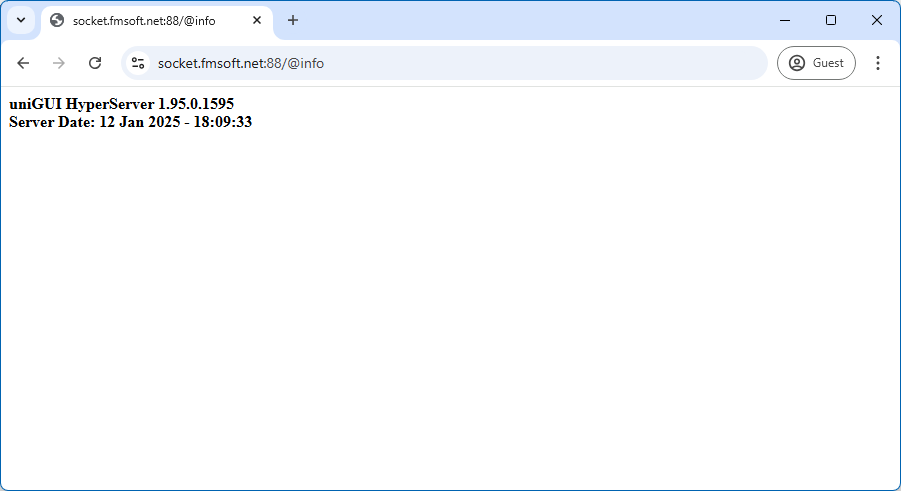
If everything is configured correctly you can test whether the dedicated server is online. Example screenshot:

clip0357

Related resources:

  • Installing the Dedicated WebSockets Server: https://unigui.com/doc/online_help/installing-the-dedicated-webso.htm