Obtaining the SSL Certificate

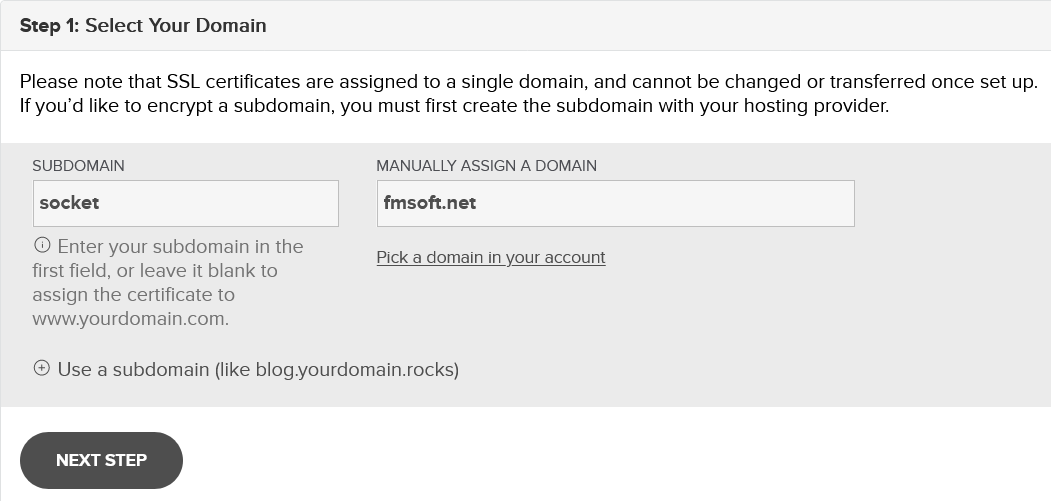
As discussed in previous section we need to obtain a separate certificate for our external WebSockets server. Certificate will be obtained for the socket.fmsoft.net sub-domain.

clip0254
1

Generate the certificate request (CSR) and private key

Your key file is generated by you when you create your certificate request. The process of creating a certificate request varies based on your certificate provider, but you can use OpenSSL to generate it easily. (We used RapidSSL as our certificate issuer.)

2

Receive certificates from the issuer

After completion of the request we receive certificates from the issuer. In this example we received two certificates: the root (CA) certificate and the site (server) certificate.

Server Certificate (truncated):

-----BEGIN CERTIFICATE-----

MIIHpjCCBY6gAwIBAgIQDSwGhXzccyHoERLNxogN4zANBgkqhkiG9w0BAQsFADBc

MjMwMzA3MDAwMDAwWhcNMjQwMzA2MjM1OTU5WjAcMRowGAYDVQQDExFzb2NrZXQu

.

.

.

7YZ5xbe2vJzoGKu5aiTEndlfMcr7C0stvFsKurZpmy3hIaVFpXzYyBgjoVgs3g6s

k3KNyp2E4JbDKcXsBiSInZrgS+KfZBT9c3hzzEH7lDVnr6KG1NQIJ7E5

-----END CERTIFICATE-----

CA Certificates (truncated):

INTERMEDIATE

-----BEGIN CERTIFICATE-----

MIIFyzCCBLOgAwIBAgIQCgWbJfVLPYeUzGYxR3U4ozANBgkqhkiG9w0BAQsFADBh

MQswCQYDVQQGEwJVUzEVMBMGA1UEChMMRGlnaUNlcnQgSW5jMRkwFwYDVQQLExB3

.

.

.

Y4hyRvAz5920myUffwdUqc0SvPlFnahsZg15uT5HkK48tHR0TLuLH8aRpzh4KJ/Y

p0sARNb+9i1R4Fg5zPNvHs2BbIve0vkwxAy+R4727qYzl3027w9jEFC6HMXRaDc=

-----END CERTIFICATE-----

ROOT

-----BEGIN CERTIFICATE-----

MIIDrzCCApegAwIBAgIQCDvgVpBCRrGhdWrJWZHHSjANBgkqhkiG9w0BAQUFADBh

d3cuZGlnaWNlcnQuY29tMSAwHgYDVQQDExdEaWdpQ2VydCBHbG9iYWwgUm9vdCBD

.

.

.

YSEY1QSteDwsOoBrp+uvFRTp2InBuThs4pFsiv9kuXclVzDAGySj4dzp30d8tbQk

CAUw7C29C79Fv1C5qfPrmAESrciIxpg0X40KPMbp1ZWVbd4=

-----END CERTIFICATE-----
3

Save and assemble certificate files

  • Save the root certificate in a file named Root.pem.

  • Save the server certificate in a file named Cert.pem.

circle-info

If there is an intermediate certificate, append it to Cert.pem (so Cert.pem contains the server certificate followed by the intermediate certificate(s)).

4

Final files for HyperServer

After the above steps you should have three files:

  • Key.pem

  • Root.pem

  • Cert.pem

These files will be used along with our HyperServer instance to add SSL support.