
Isolating ServerNodes in Mode-2
In Mode-2, each ServerNode is assigned a public URL, so ServerNodes are open to public access. They are not fully isolated as in Mode-0. However, ServerNodes in Mode-2 can be isolated by disabling direct access to those servers.
There is a configuration parameter that restricts access to ServerNodes:
avoid_direct_access=1When this parameter is set, direct access to ServerNodes is prohibited. You cannot run the web application by simply pointing your browser to the public URL of a ServerNode.
In the example below the cluster has a master at: http://localhost/webapp/hyper.dll
and a ServerNode at: http://localhost/webapp/server-0/hyper.dll

When a client is routed through the master HyperServer, the request is redirected to the ServerNode with additional parameters. These parameters tell the ServerNode that the request originates from the master HyperServer and not from an arbitrary source.
A sample redirection URL: http://localhost/webapp/server-0/hyper.dll?rdrprm=89957281F52B8BDB27B39DB51793D5DC&rfr=aHR0cDovL2xvY2FsaG9zdC93ZWJhcHAvaHlwZXIuZGxs
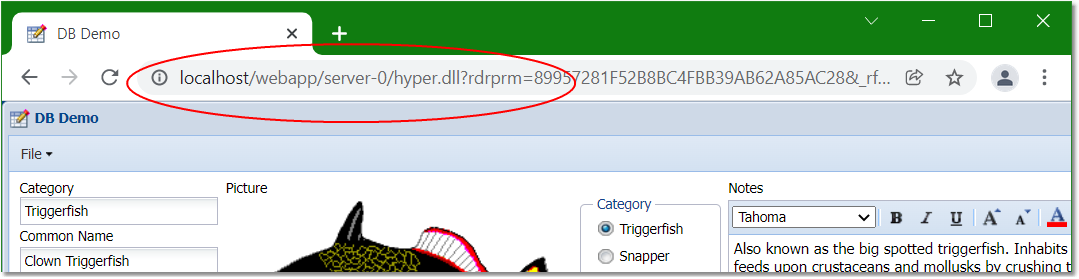
This mechanism ensures that ServerNodes can only be accessed through the master HyperServer, not directly.
If a client tries to access a ServerNode directly when direct access is disabled, access is rejected:
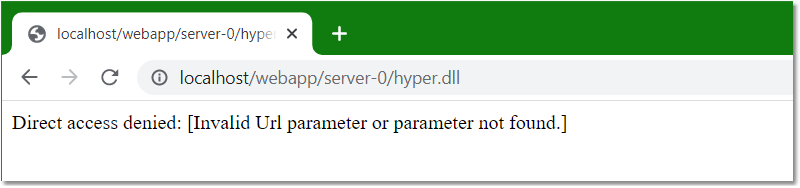
Each redirection URL has a timeout controlled by this configuration setting:
The default is 5 minutes. If a user bookmarks the redirected URL, they will not be able to use the bookmark after the timeout period. This ensures clients use the main entry point of the cluster (the master HyperServer) to access the web application.
Since system time is used to calculate the timeout, make sure clocks on ServerNode machines are synchronized with the master HyperServer clock.
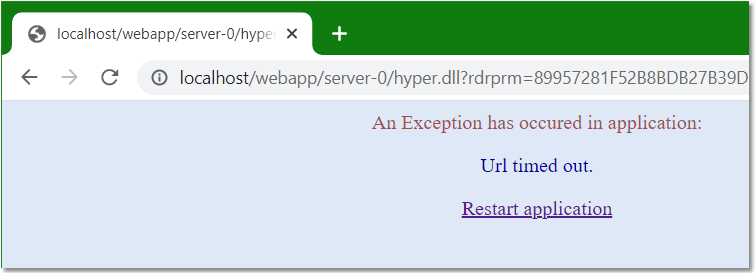
If a client attempts to reuse a timed-out URL, an exception will occur:
Final note: when a session is terminated or restarted, its restart URL will always point to the main URL of the master HyperServer.