Monitoring Sessions

HyperServer Control Panel allows you to monitor sessions that belong to each Node. It also allows you to remotely terminate a few or all of the sessions that belong to a Node.

clip0205

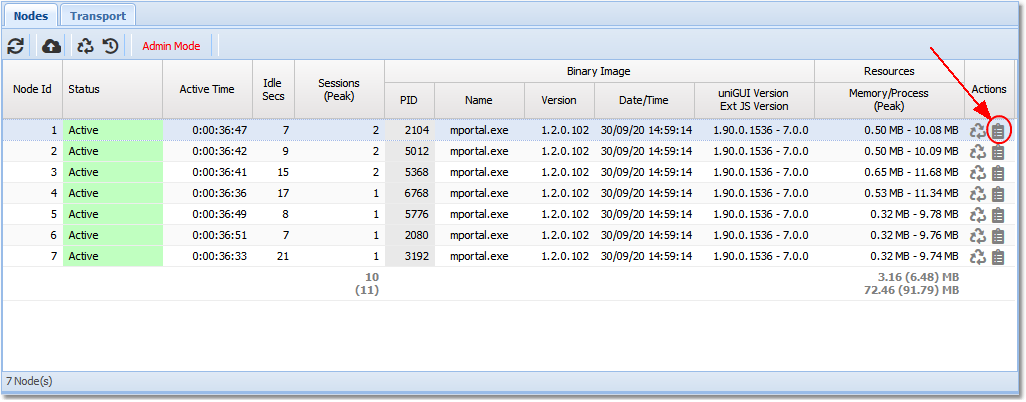
In the Actions column, clicking on the right-most button clip0206 will open a new form which displays the sessions that belong to the selected Node.
clip0208

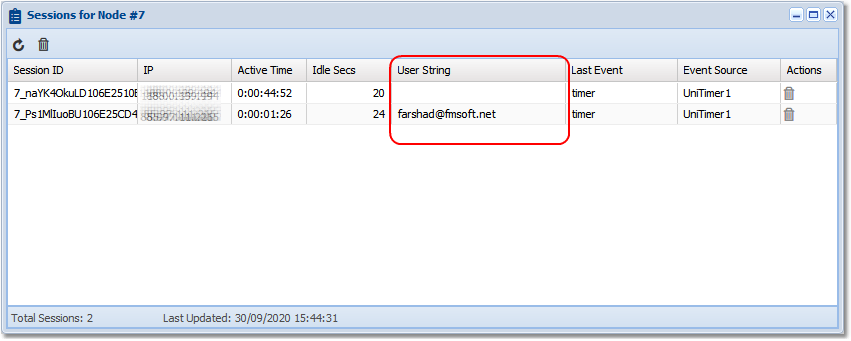
The grid in the form displays a list of all active sessions belonging to this Node. There is a special column named User String. This value can be customized by the developer and helps identify a particular session. It can be an email address, user name, login id, or anything else that helps identify a session.

UserString is a public property of UniSession and can be easily assigned in application code. Example:

Field explanations:

  • Idle Secs: the number of seconds the session has been idle (i.e., no Ajax events have been received).

  • Active Time: the amount of time (days:hours:minutes:seconds) that the session has been alive.

  • Last Event: the last Ajax event received from this session.

  • Event Source: the name of the uniGUI component which received the Last Event.

If you have logged into the HyperServer control panel using admin credentials, you can terminate sessions remotely. You can terminate individual sessions or all sessions for a particular Node.

To terminate a single session, click the trash bin icon in the Actions column:

clip0209

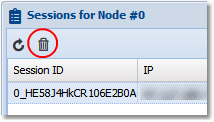
To terminate all sessions for the Node, choose the trash bin icon in the top toolbar:

clip0210