
C++ Builder (Without RAD Studio)
This is a new installation method introduced in uniGUI build 1552. This method doesn't require RAD Studio, so it can be useful for developers who own a C++ Builder license only.
Note: Currently this method works for C++ Builder XE and later.
Prepare following the regular C++ Builder instructions
Follow the regular instructions for C++ Builder up to the indicated step:
For the Commercial Edition: follow until step 7. (See: https://unigui.com/doc/online_help/delphi--c-builder2.htm)
For the Trial Edition: follow until step 5. (See: https://unigui.com/doc/online_help/delphi--c-builder.htm)
After completing that step, open the C++ Builder IDE and then close it. This ensures the IDE recognizes the new registry settings applied by the installer.
Build uniGUI packages with the provided batch file
Run the batch file that builds uniGUI packages and creates the required BPL files.
Open the uniGUI installation folder in File Explorer. Example screenshot:
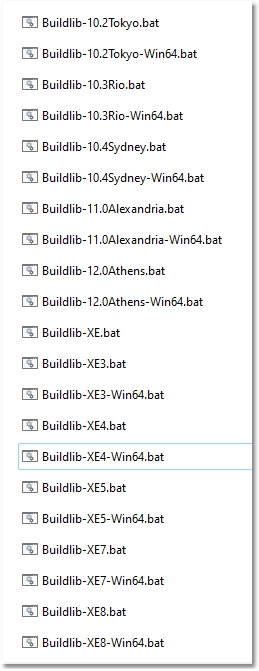
In that folder you will find batch files starting with "Buildlib". A batch file is created for each installed version of C++ Builder during installation.
Run the appropriate batch file for your C++ Builder version. There are also separate batch files to create 64-bit BPL files for Delphi versions that support Win64. For the IDE you only need to build 32-bit BPL files. 64-bit BPL files are only needed if you want to deploy your application with 64-bit runtime packages.
Example folder showing build batch files:
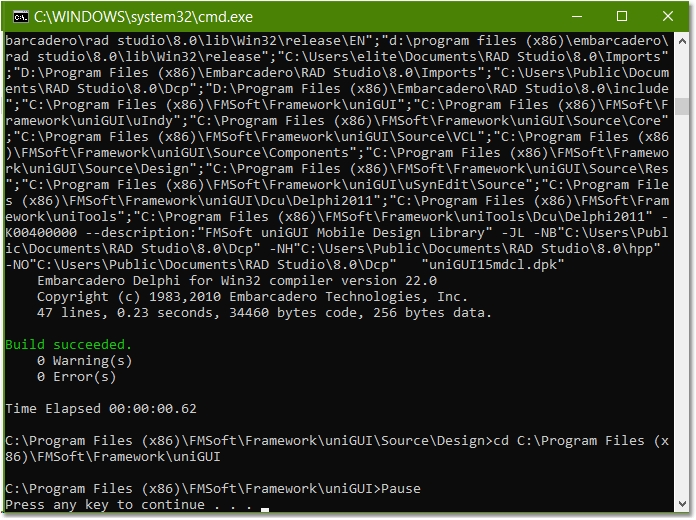
The batch process should show a "Build succeeded" message for each uniGUI package included in the batch file.
Install the design packages in C++ Builder IDE
Open the C++ Builder IDE. (The documentation example uses C++ Builder 10.2.)
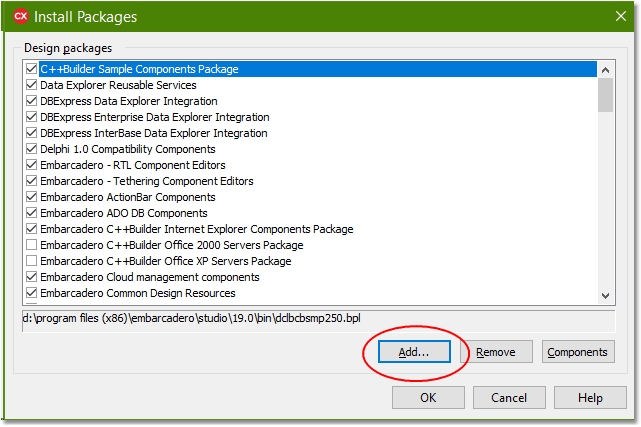
From the top menu choose: Component -> Install Packages.
In the Install Packages window press the Add button.
Point to the default BPL folder for your C++ Builder version. Example default folder for 10.2 Tokyo:
Another related screenshot:

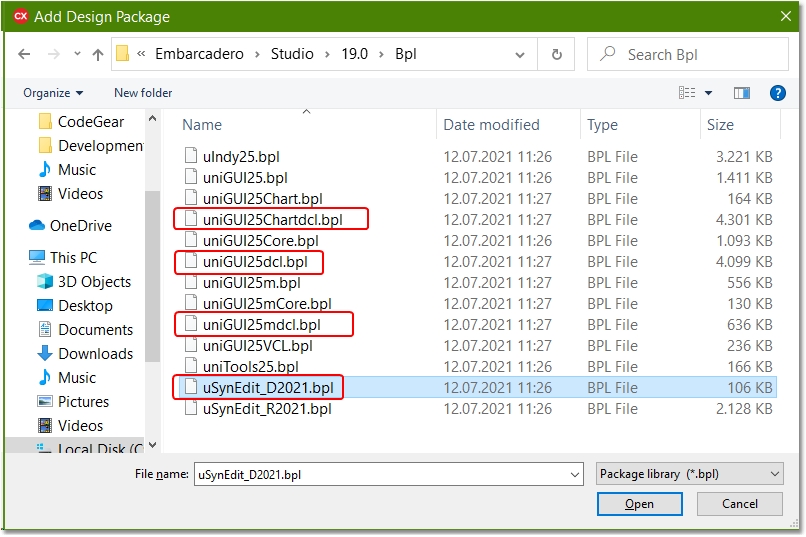
Select and install the following design packages (you can select multiple files at once):
uSynEdit_DXXXX.bpl
uniGUIXXdcl.bpl
uniGUIXXChartdcl.pbl (Starting from build 1597 this package is no longer available)
uniGUIXXmdcl.bpl
Once these packages are installed, your uniGUI installation for the C++ Builder IDE is complete.
Last updated