
Orders Editor Form
The name is correct, but the meaning covers more functionality. It is not possible to edit an order without being able to manage customers and products. The editor uses grids for managing customers and products, and a master/detail pair of grids for editing orders with its items.
Desktop Orders Editor Form
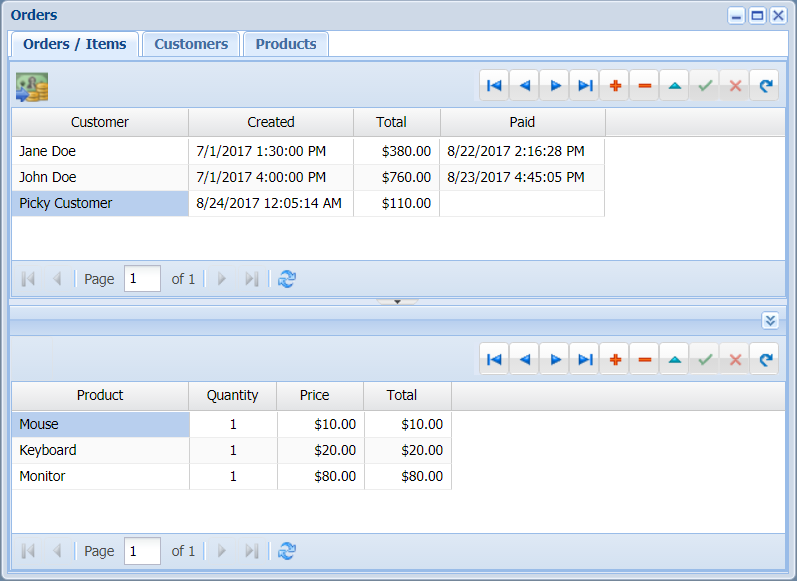
This form is using a TUniPageControl for hosting orders/items, customers, and products, in different tab sheets. Each one of them works almost the same as in a common VCL application. Following the same pattern as the Users Editor Form, there are only two requests to the MainModule, everything else is handled by event handlers and actions.
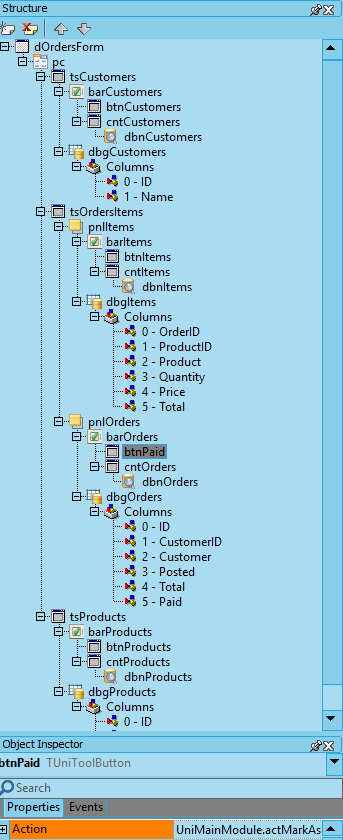
The whole structure of the form is:
Touch Orders Editor Form
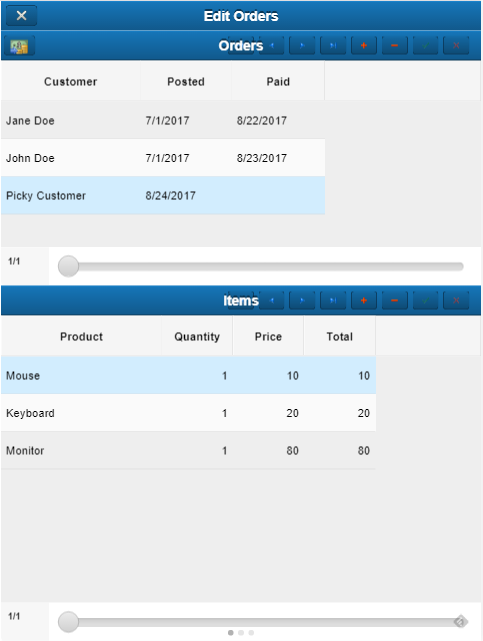
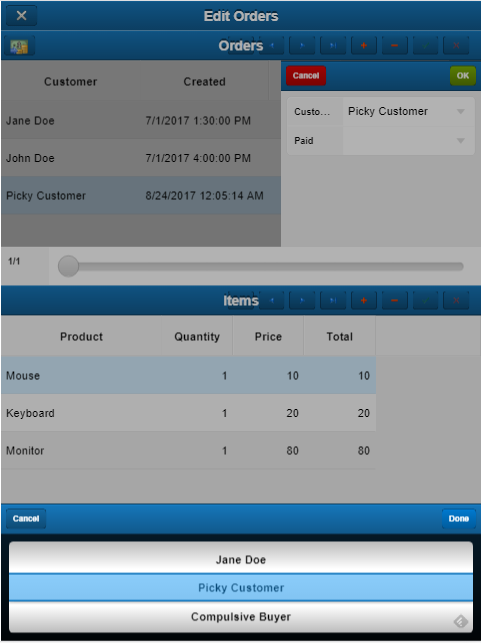
As before, the code is similar, but the components are different. In this case, the TUniPageControl was replaced by a TUnimCarousel. As similar as the grids look, fat-finger oriented functionality requires big changes to the user interaction. After a double-click to an order row, the following automatic form pop ups:
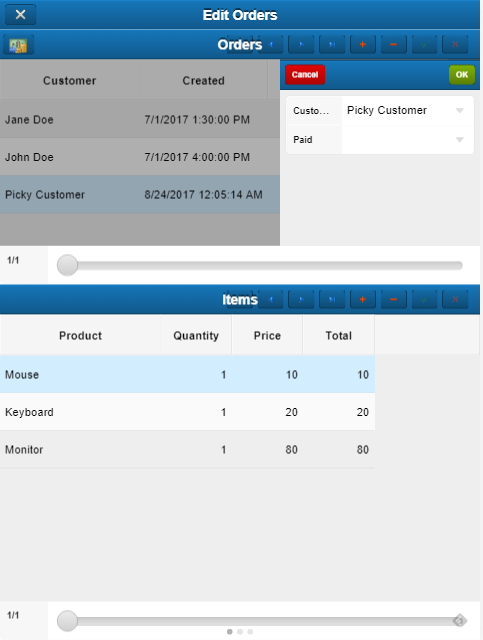
Notice that there is a mask covering the grid in the background (telling the user that there is no access to them until closing the pop up editor).
Instead of showing a standard lookup combobox for selecting the customer, clicking that field will surface the typical picker at the bottom of the screen:
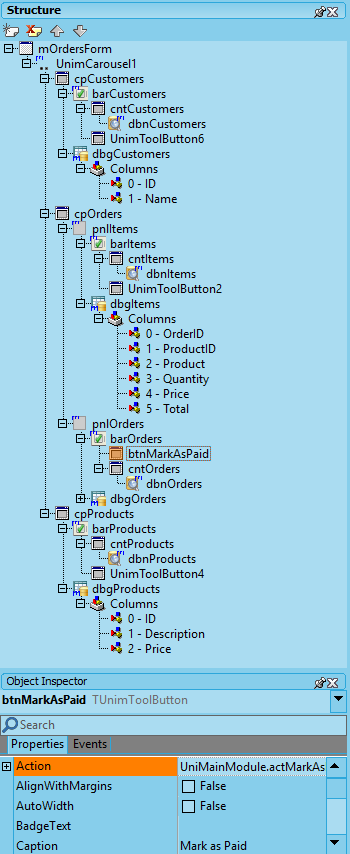
The whole structure is:
Of course, this is just a demo, because selecting a customer among hundreds will become a problem using this method.