Important notes on FastReport and thread safety

FastReport is a popular reporting tool for Delphi and C++ Builder. In a uniGUI multi-threaded environment, special care must be taken to ensure FastReport runs in a compatible mode.

Avoid using FastReport global dataset list

The Global dataset is a collection used by FastReport in VCL applications. This collection should be avoided in uniGUI because its use can lead to severe issues such as stack overflow and immediate server crash.

Ensure the following setting is applied to avoid global dataset usage:

Delphi
Report.EngineOptions.UseGlobalDataSetList := False; // Do not keep a global list of a datasets

Developers must make sure this setting is applied right after the TfrxReport component is created.

Apply the setting for components placed on Forms or DataModules

uniGUI provides a convenient hook to configure new components. Add the following code to MainModule in the OnNewComponent event:

Delphi
procedure TUniMainModule.UniGUIMainModuleNewComponent(AComponent: TComponent);
begin
  if AComponent is TfrxReport then
  begin
    (AComponent as TfrxReport).EngineOptions.UseGlobalDataSetList := False;
  end;
end;

This ensures every new instance of TfrxReport will have the correct UseGlobalDataSetList setting.

Creating TfrxReport in code

When creating TfrxReport programmatically, set the options immediately after creation. Make sure you always provide a proper owner (avoid using nil as owner).

Generating reports using dynamic components
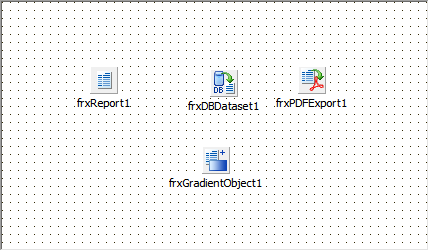
To save system resources and to ensure thread safety, it is recommended to use dynamically created components (for example, a free DataModule that contains TfrxReport and related components).

Example demos (paths preserved):

  • ..\uniGUI\Demos\PublicDemos\Desktop\FastReport - Dynamic

  • ..\uniGUI\Demos\PublicDemos\Desktop\FastReport - MultiReport

When generating a report, create the free DataModule, generate the report, then destroy the DataModule.

clip0102
1

Create the DataModule

Create a free DataModule that contains TfrxReport and other required reporting components:

  • Use an owner of nil when creating the DataModule (so it is a free module).

2

Generate the report

Create, use, and generate the report within the same thread/context. Example:

3

Destroy the DataModule

Free the DataModule immediately after report generation to release resources and avoid leaking handles or components that might use Windows handles.

circle-exclamation