
FireDAC
Formerly known as AnyDAC, FireDAC is a widely used set of database components for Delphi. There are some thread-safety considerations when using FireDAC. uniGUI is a fully multithreaded application, so components used in each session must be isolated from other sessions. As described in the section Database Connections, each session should have its own copy of the Connection components. The same principle applies to FireDAC as well. In this Embarcadero document there are guidelines for using FireDAC in a multithreaded application:
http://docwiki.embarcadero.com/RADStudio/XE8/en/Multithreading_(FireDAC)
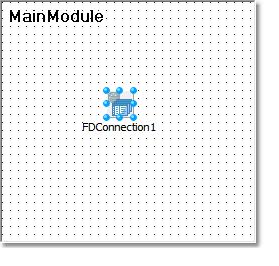
In uniGUI, each TFDConnection component must be placed on MainModule or a DataModule created from uniGUI Wizard. It is also possible to create and destroy a common datamodule as part of the constructor and destructor of any TUniForm (because they are also private to its session). This will ensure that each session will have its own private TFDConnection component.
In addition to that, place a TFDManager component on the ServerModule and set its Active property to True in the ServerModule's OnCreate event.
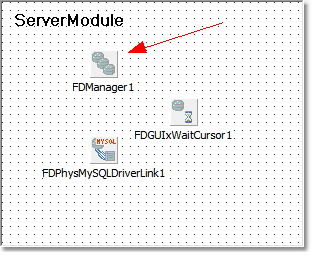
Other components to place on ServerModule are TFDGUIxWaitCursor and TFDPhysXXXDriverLink. TFDPhysXXXDriverLink is the driver link component for your database engine. For MySQL it should be TFDPhysMySQLDriverLink. For TFDGUIxWaitCursor set Provider to Console and ScreenCursor to gcrNone.
In the OnCreate event set FDManager1.Active := True;:
In a similar manner, in the OnDestroy event call FDManager1.Close;:
Pooling Connections
One of the advanced features in FireDAC is the support for pooled connections. It allows sharing identical database connections among sessions.
For details please see:
http://docwiki.embarcadero.com/RADStudio/XE8/en/Multithreading_(FireDAC)
http://docwiki.embarcadero.com/RADStudio/XE8/en/Defining_Connection_(FireDAC)
Also see our example project:
DBLookupComboBox - Custom Remote Query