
Additional Settings
By nature, Stress Test Tool creates hundreds of HTTP requests per second to put a heavy load on the server under test. This may go beyond the limits of the OS running the Stress Test Tool. One of these limitations is the TCP port allocation, which is limited to a certain value by the OS by default. To make a smooth run of Stress Test Tool you may need to increase the TCP port limit by changing a few Windows Registry settings.
Stress Test Tool can automatically apply these registry changes for you. From the Stress Test Tool menu select Other -> Adjust Registry Settings.
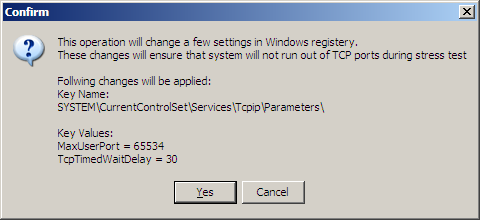
A dialog like the one above will open and present brief information about the settings and ask you to confirm the operation. These changes are harmless and will increase the TCP port creation limit on your OS.
You must run Stress Test Tool as administrator in order to apply registry changes.
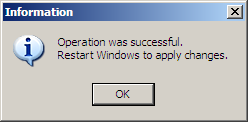
A successful operation will show the next message and ask you to restart your PC to finalize the operation.
Related links:
Developer's Guide > Stress Test Tool > Usage: https://unigui.com/doc/online_help/usage.htm
Click to Display Table of Contents: https://unigui.com/doc/online_help/index.html?additional_settings.htm