
LoginForm
LoginForm is a special form type used solely for login purposes. If your application contains a LoginForm (any form inheriting from TUniLoginForm), it will be the first form displayed when a Web session starts.
A LoginForm can be created with a uniGUI Wizard by following this path: File -> New -> Other -> Delphi Projects -> uniGUI for Delphi -> Form.
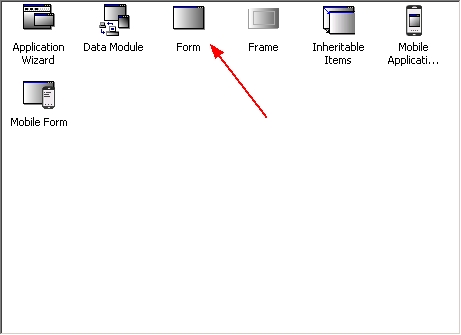
uniGUI Wizard
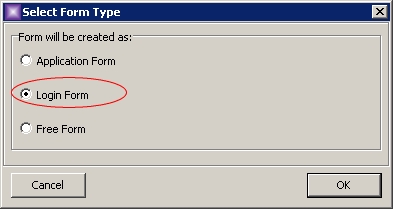
Create a Login Form
This action will create a blank LoginForm which looks identical to a regular form:
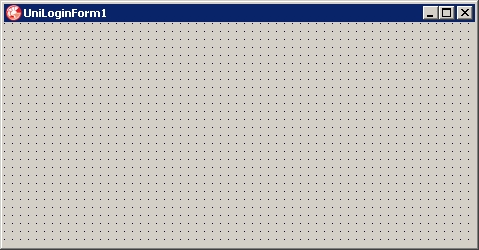
A blank LoginForm
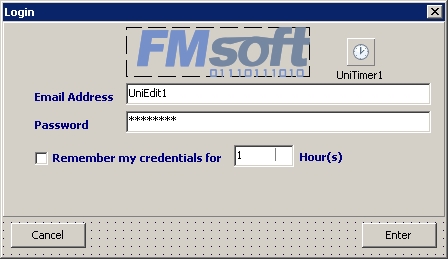
Sample LoginForm design
A LoginForm is a descendant of the built-in class TUniLoginForm. Each application can only have one LoginForm. After adding a LoginForm, your application will show this form when a new session starts. You need to add controls, event handlers, and everything required to implement the needed functionality.
Login behavior is controlled using the form's ModalResult. If a LoginForm returns mrOK, it means a successful login and a new MainForm will be created and activated. When ModalResult returns mrCancel, the session will be terminated.
Example (fake form with two buttons: one to simulate successful login, the other to simulate failure):
Once the user is logged in and the MainForm is displayed, there are two ways to terminate the session: return mrOK as ModalResult to return to the LoginForm, or return mrCancel to terminate the session. For security reasons, the existing session is always terminated before displaying the LoginForm — each new login starts a new session.